


















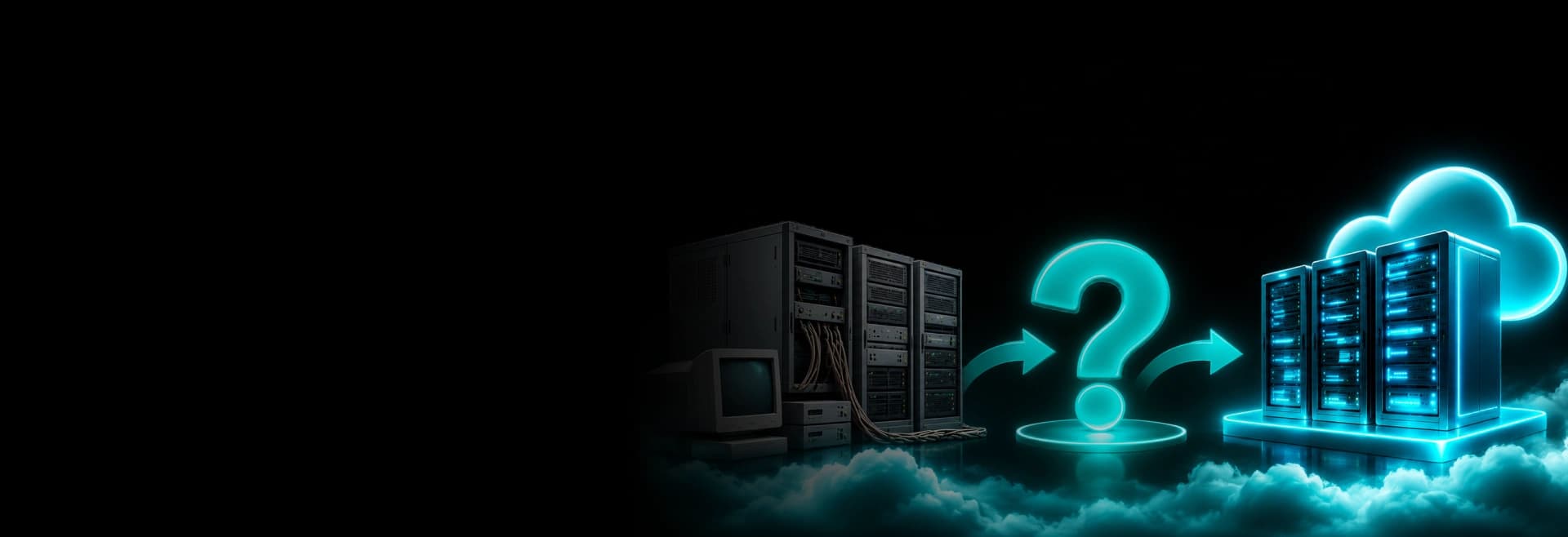
Legacy System Modernization or Replacement: Let's Decide
Even after the AI revolution, many businesses are still using legacy systems and applications. When asked why they still depend on legacy systems, they replied that these systems support critical business operations, store critical data, and their teams are familiar with them. They believe replacing these legacy systems or applications will be expensive and may also disrupt their day-to-day operations. Therefore, organizations often choose to continue with the same legacy systems without exploring the option of modernizing or replacing a legacy system.
Most businesses using legacy systems and applications face common problems such as slow operations, inability to integrate new features and technologies, isolated business data, and vulnerability to online threats. According to the latest survey by HFS Research (surveying 305 enterprise decision-makers), it was concluded that 42% admitted that legacy systems are the reason behind higher operational costs; around 38% of them reported that they are unable to integrate technology, whereas 36% of the decision-makers said that they are unable to scale their operations due to limitations of the legacy systems.
So, in 2026, if you are an organization that’s still using those legacy systems and staying out of the business race, then it’s time to fix the issue from scratch. Don’t waste your fortune on fixing and maintaining the outdated apps/systems that may not even last the next five years. Modernize the existing legacy system to improve its capabilities or replace it with a new solution that better supports your requirements.
But which approach makes more sense? As a business, you have two options. Still, the final decision depends on factors such as your business’s current technical status, how much you are spending every month on maintenance, and whether it fits your future objectives.
What Is a legacy system? Why do businesses need to reconsider it?
A legacy system is an outdated software system, application, or an entire IT infrastructure that a business is using even when it does not fully support the modern operations. It has limited operational support, prone to modern online threats, and lacks integration with new technologies for business scalability.
Some of the most common examples of legacy systems are a decade-old ERP system, a custom-built monolithic app, on-premises databases, and apps developed using programming languages that are no longer in trend or use.
However, by legacy system, I don’t mean only old systems and applications. In many cases, even a 15-year-old system is still valuable to the business. Even after so many years, it can still be secure, easy to maintain, and support modern operations and business scalability. The actual problem starts when a system stops supporting business operations, lacks vendor support, struggles to integrate with newer applications, and is hard to maintain. These types of systems are called legacy systems and need an upgrade.
Businesses that are still using legacy systems and applications must reconsider their decision in 2027. Using these systems will not only increase technical debt in their business but also choke their ability to scale and their path to digital transformation. So, it’s time to evaluate your IT infrastructure and remove the obstacle to future growth.
What are the warning signs of your legacy system?
There are many ways you can identify if your systems need modernization or replacement, but some of the most common are limited operational support, inability to scale with business growth, high maintenance costs, and vulnerability to online threats. We have listed the eight most common warning signs to watch for:
- No support for cloud, APIs, or AI tools: Your system shows no support for modern tech such as cloud, APIs, and AI tools that can boost productivity and ROI.
- Security gaps and compliance risk: Your legacy system no longer receives security updates. Therefore, it leads to security gaps and compliance risks.
- Vendor support ended: When the vendor stops the support and maintenance services, it’s your team that has to take care of maintenance, bug fixes, and emergency repairs.
- Poor user experience: Your audience expects a modern, interactive experience, but legacy systems still feel old-fashioned.
- Cannot scale with growth: Lack of scalability is one of the most critical signs of a legacy system. It does not grow or scale with your operational requirements.
- Rising maintenance cost: Your team spends more money each year keeping the system alive and has less budget left for work that grows the business.
- Slow performance and frequent downtime: System performance declines, with signs like slow reporting, slow loading, and frequent breakdowns.
What is the difference between legacy system modernization and replacement
When a system does not meet a business’s operational requirements, it must be modernized or replaced. Both approaches differ, but the goal is the same: a system that supports operations and scales as the business grows.
What is legacy system modernization?
Legacy system modernization is a technical process of upgrading your existing application using the latest tools and technologies. Modernization improves functionality, performance, security, and compatibility with modern workflows and technologies. In the modernization process, the business logic and components remain the same.
In legacy system modernization, the following aspects are normally covered:
- The system is technically updated using the latest tools and frameworks.
- The existing code of the system is refactored.
- The system’s entire database and infrastructure are modernized.
- All apps, software, and data are migrated to a secure cloud platform.
- To enhance the performance, new APIs and third-party apps are integrated.
- To ensure safety, new security protocols and rules are added.
Legacy system modernization allows the business to improve system capabilities without completely replacing its existing software.
What is legacy system replacement?
Legacy system replacement is the process of retiring an existing application and moving operations to a new software solution. The solution may include a modern off-the-shelf platform, a custom-built app, or a solution built from scratch.
Legacy system replacement is different from system replacement. It focuses on adopting a new system that better aligns with the current operations and future requirements.
In legacy system replacement, the following aspects are normally covered:
- Outdated applications and solutions are replaced with modern alternatives.
- Custom applications and software are built as per the business requirements.
- Commercial off-the-shelf software solutions are adopted.
- Business data and workflows are migrated.
- Existing business applications are integrated with replaced software and apps.
The benefits of legacy system replacement are totally different for businesses. They can ditch the outdated legacy system completely and adopt secure, scalable systems. This ends dependence on legacy systems.
However, the final call on legacy system modernization vs. legacy system replacement depends on many different factors. Thus, make the move carefully or with the help of a company that offers professional AI-driven legacy modernization services.
When should you replace a legacy system?
Replacing the legacy system is the best option when the system’s architecture no longer supports business requirements, breaks down frequently, and does not protect against modern online threats. Replacement also makes sense when the vendor stops support services, you cannot add new features, or you cannot modernize the app to meet business requirements.
If you are confused between modernization and replacement, then here are the cases when you should consider replacement over modernization, and they are:
- You should consider system replacement when output stays the same or decreases, but maintenance costs keep increasing. This includes bug fixes, infrastructure maintenance, and hiring a dedicated maintenance team.
- You must consider system replacement when your existing system stops supporting business needs and creates new challenges.
- You must consider system replacement when the system architecture stops accommodating new features and business operations and shows inefficiencies in handling workloads.
- You should consider system replacement when there are critical security flaws and compliance restrictions. These outdated components can lead to significant financial loss or data loss in the future.
- You should consider system replacement when your existing system is unable to accommodate new technologies such as AI and cannot deliver the desired output.
- You should consider system replacement when the vendor stops providing support services and releasing updates.
When should you modernize a legacy system?
When to modernize a legacy system is a primary question for many businesses, and here’s the answer.
You should consider legacy system modernization when your existing system delivers good business value but needs a touch of modern technology. Here are the cases when you should consider modernization over replacement, and they are:
- You should consider modernization when your major operations run smoothly, but you need to modernize a few components to boost productivity and add new features.
- Modernization is a good option when your system is built on outdated technology, but its architecture is viable. All you need to do is refactor the code and upgrade some parts.
- Modernization is also a feasible option when performance is one of the issues. You can upgrade or modernize the affected parts and improve performance.
- You can consider system modernization when you are unable to add new modern features such as cloud and AI.
- Compared to replacement, system modernization is a good alternative if your critical operations are deeply connected with your existing systems.
Legacy system modernization vs. replacement: A decision matrix
As said earlier, not every legacy system needs replacement, and not every outdated system can be modernized. The right approach depends on the current technical conditions of the system and the value it offers to your business. Below is the decision matrix to help you identify and decide the right approach for your organization.
| Business situation | Recommended approach |
| Core functionality is works, but technology needs upgrading | Modernize |
| Existing architecture supports future requirements | Modernize |
| Integration capabilities need improvement | Modernize |
| Core architecture prevents business growth | Replace |
| Critical technology is unsupported and cannot be secured | Replace |
| Maintenance costs outweigh the value of retaining the system | Consider replacement |
| Existing software no longer meets essential business requirements | Replace |
| Only specific modules are outdated | Modernize selectively or replace those modules |
The decision matrix above is the starting point, and not a fixed rule for every organization to follow. Before you make any decision considering the above matrix, it is advisable to contact a company for a technical assessment of your existing systems. Based on the feedback and business feasibility, you can consider the approach that is best for your future growth.
According to industry veterans, modernization and replacement can also be combined in some cases. But again, it all depends on many critical factors.
How to decide between modernization vs. replacement? 7 factors to consider before making a decision
As you know, the core difference between legacy system modernization and replacement is that seven factors can help you choose the right option for your business and its future.
These 7 factors will help you understand your systems better because legacy systems don’t necessarily mean the systems that are decades old. These points will make you think about critical aspects such as business value, technical feasibility, overall costs, and long-term objectives.
So, here are the seven factors (very important) that will help you decide between legacy system modernization and replacement, and they are:
1. Does your existing system scale and perform well?
Another factor that you need to test is the performance and scalability of your existing system. Check whether your existing system can handle high traffic, transactions, data volumes, and workloads. If these issues can be fixed by code optimization or by integrating any third-party tool, then system modernization is the best option. However, if the system has performance and scalability issues that targeted optimization can’t fix, you should replace the entire system.
2. What is the integration and technology compatibility of your existing system?
Every business is under the heavy influence of modern technologies like AI and the cloud. Therefore, check whether your existing system is compatible with these technologies that can boost your business performance, ROI, and customer experience. If introducing APIs and modern integration layers can address connectivity issues, modernization is a practical option. If the system cannot support essential integrations, consider replacing it.
3. Which option will affect business continuity and have implementation risks?
Whether you choose modernization or replacement, make sure neither disrupts your business operations or leads to downtime. In legacy system modernization, everything is carried out in different phases so that there is no disruption to existing workflows. However, a properly planned replacement also helps minimize or eliminate downtime and operational risks.
4. What are your security and compliance requirements?
If you are using a system that is almost a decade old, then it is important that you test it for security and compliance standards. Test whether your existing system is able to withstand modern hacks and meet the compliance requirements. If you find issues that can be fixed, then modernization is the option worth considering. But if you find issues you can’t fix or can’t ignore, then replacing the legacy system is your choice.
5. What are your business requirements and future goals?
So, the first thing that you must consider while making the decision is your business requirements and future goals. Does your existing system support your current operations, and can it meet your future objectives? If your existing system meets your business requirements and can support your future ventures, then system modernization is your option. However, if the system cannot support your current and future ambitions, replacement is your only option.
6. What is the total cost of ownership (TCO)?
For many businesses, cost is a decisive factor. If that’s the case for your business, evaluate the cost of both options. Compare the total cost of ownership of both approaches instead of focusing on initial investment. To calculate total cost of ownership (TCO), consider development costs, maintenance costs, licensing costs, and extended support costs. Based on the final data, you can make the final call and choose the option that fits your budget and future goals.
7. What are your thoughts on system architecture and technical condition?
The second thing you can do is ask yourself questions related to the technical condition and architecture of the system you are currently using. You can also question the quality of the code and technology it is built on. If the system architecture is flexible and supports your operations, then modernization with code refactoring and modern integration is a good option. But if the system architecture doesn’t support your current business requirements or accommodate third-party integrations for improvements, then replacement is your option.
FAQs
System replacement and modernization are two different approaches. In one case, you modernize the existing system, and in another case, you replace the entire system. In modernization, you upgrade technology, architecture, and performance, whereas in replacement, you replace the old system with the new one.